



Chicken Road App Access in Poland
Try Chicken Road 2.0 in Chrome from an Android phone. On iPhone, use Safari. If you use an operator account from Poland, check whether the InOut Games card opens in the mode you want. A Chicken Road app can open the same HTML5 game inside a casino client, so the installation itself tells you little about access to the field.
How to Recognise an App for Chicken Road
Check the title and studio on the game card. Chicken Road 2 and Chicken Road Two are also used for 2.0, so look for InOut Games alongside the title. The browser launch uses the mode chicken-road-two. Chicken Road is also the name of the original game, and Mostbet lists the regular InOut title separately from its branded Mostbet Chicken Road 2.
If the search “what is Chicken Road app” brought you here, start with the game card. You play the step crash game solo. Chicken Road 2.0 also has separate Android and iOS apps and an official app listing. The operator can offer an app for Chicken Road that opens the game alongside the sign-in and cashier.
Open the Mobile Demo in Chrome or Safari
To see the field and try the controls, open the official mobile demo. The InOut Games demo displays a virtual USD balance. When a game opens inside an operator account, use the mode shown on that screen to identify whether the session is a demo or linked to the account balance.
- Visit the demo page from the browser on your device. Use Chrome for Android and Safari for iPhone.
- Check the Chicken Road 2.0 title and InOut Games identity in the game frame. Select Demo Play if you open the provider card.
- Check the virtual balance, choose the difficulty before Play, and locate Go and Cash out. Turn the phone to landscape to inspect the position of the controls.
This mobile demo opened with the 95.5% configuration. Game rules 1.0.0 identifies the rules window in that client. The choice among Easy, Medium, Hard and Hardcore changes the road and the risk of continuing under the selected configuration. On a phone, look for the difficulty control before starting a round so it stays separate from the Go and Cash out decisions.
Chicken Road Game Download Options on Android and iPhone
A Chicken Road game download search can lead to an operator's Android APK, a store listing, a PWA or the browser game. Each route starts with a different piece of software. From Poland, check both the source for your platform and the game card in your own account before relying on an app listing.
| Operator | Android route | iPhone route | Outcome on both test phones |
|---|---|---|---|
| NV Casino | Android 8.0+ and download enabled in the operator configuration. | iOS 12+ enabled with file download off in the configuration. The test used WKWebView. | Reached the InOut Games field. |
| Stake | Web access. The Android APK was a controlled web shell. | The controlled WKWebView followed the web route. | Reached the territory check. The Polish profile could not play under Terms §14.3. |
| Total Casino | Operator APK with a stated Android 6.0+ minimum. | Polish App Store listing. Authorisation and payment transitions use WKWebView. | Reached the field in the tested Polish account. |
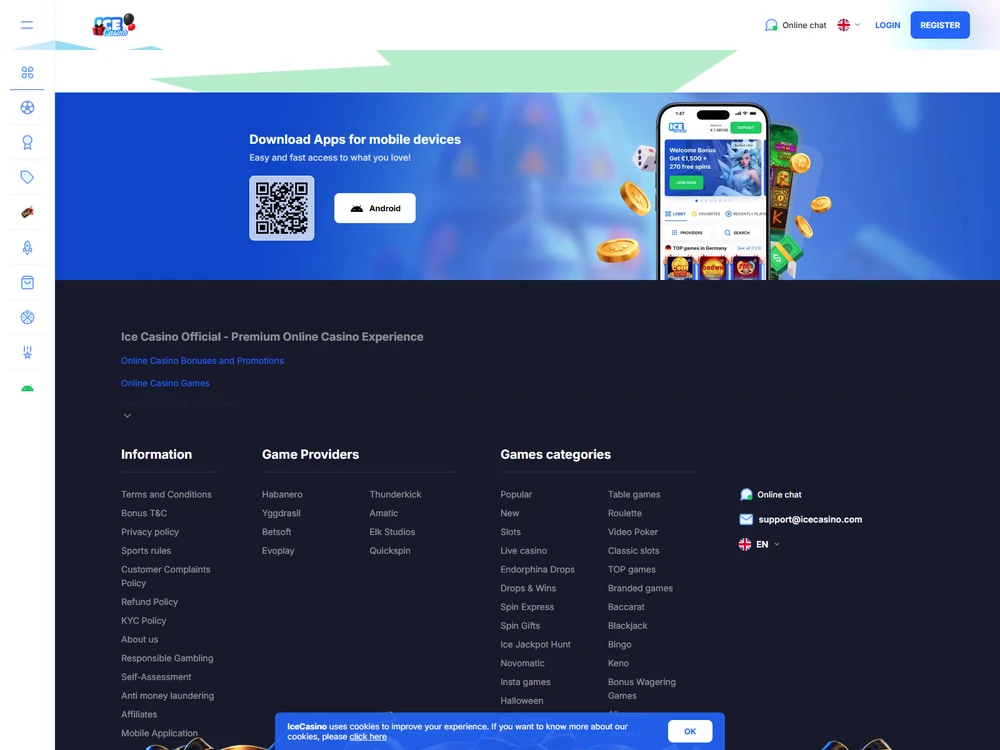
| Ice Casino | The FAQ says there is no separate app to download. The Android 8.0+ configuration separately enables APK downloads. | iOS 12+ enabled with file download off in the configuration. The test used WKWebView. | Reached the InOut Games field in the tested account. |
| Bison Casino | PWA from the web route. The controlled Android APK followed that route. | The controlled WKWebView followed the web route. | Reached territorial consent. The Polish profile ended after Reject. |
| Mostbet | Android option in the operator menu and an APK in the test. | WKWebView in the Polish test. The store listing has a separate country scope. | Reached the field in the tested account. |
Total Casino and Ice Casino reached the field in the accounts used for the mobile series. A separate public search returned no matching Chicken Road title for each of those catalogue views. At Total Casino, Chicken Madness is supplied by BF Games. Check the studio on the card before opening it.
How to Check a Chicken Road APK
Get a Chicken Road APK from the app section in the corresponding operator's account or mobile menu. Total Casino's Android instructions give a 6.0 minimum for its client. The NV Casino and Ice Casino configurations show Android 8.0 or newer with downloads enabled.
- Open the operator's app section and check that the listing matches your platform and account region.
- Check the named publisher, version and build. For an APK, match the signing identity and the file checksum when the operator supplies one. The checksum identifies the exact bytes of that file.
- Open the verified file and follow the phone's prompts for that source. If your account has no download option, open the browser route or provider demo.
- For updates, return to the same publisher's channel. Sign in to your existing account, confirm the new build, and open the InOut Games card again.
A Chicken Road download from an operator's Android page installs the operator's client or web shell. It can then open the game in the casino lobby. If a file is advertised as a Chicken Road 2.0 mobile app APK, check its publisher and installation channel before opening it.
Where to Check a Chicken Road App Download on iPhone
A Chicken Road app download on iPhone starts with the operator's storefront listing. For the confirmed Polish store route, see the Total Casino profile. Its listing uses app ID 1442807948. A separate WKWebView handles transitions to authorisation and payment.
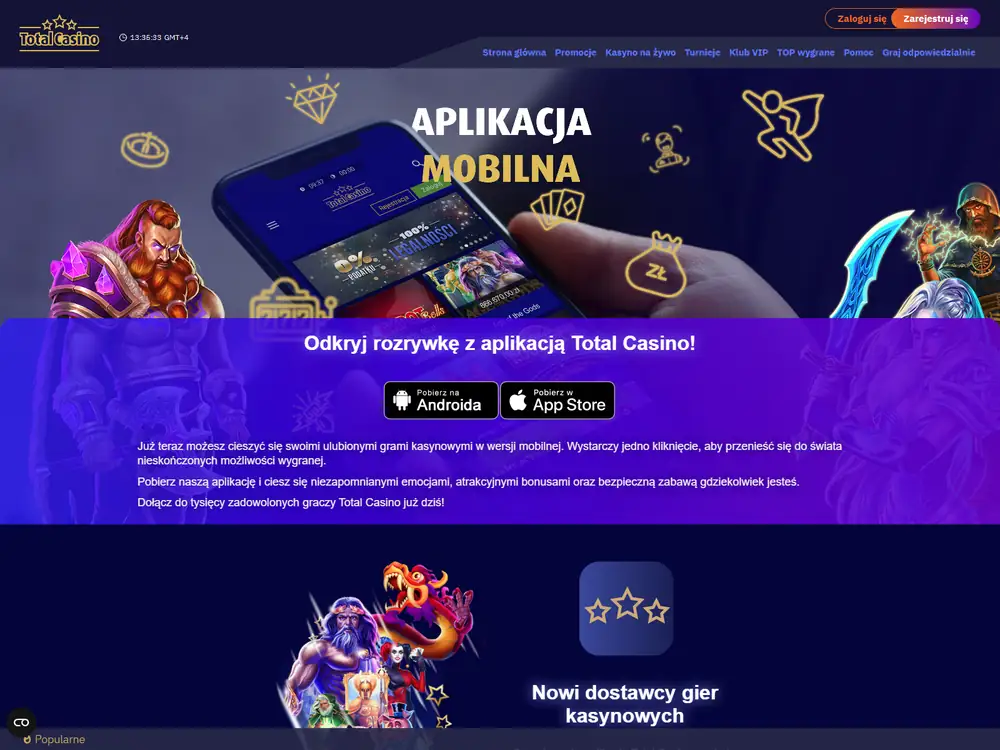
- Open the operator's iOS route and confirm that the App Store listing is available for your current account region.
- Check the publisher on the listing, then use the store to install or update the app.
- Open the client, sign in to your operator account, and look for Chicken Road 2.0 by InOut Games in the lobby.
For NV Casino and Ice Casino, iOS 12+ was enabled in the operator configuration while file download was disabled there. An operator's configuration flag and its store availability answer different questions. Ice Casino's FAQ separately describes access through the browser.
Mostbet gives a separate App Store country list covering Latvia, Armenia, Belarus, Cyprus, Ukraine, Uzbekistan and Azerbaijan. Poland is outside that list. The iPhone result in the Polish comparison came through WKWebView, so the table records that route for the Polish test.
What a Chicken Road Game App Download Can Open
A PWA opens web content in an app-like window. Bison Casino's web manifest sets display: standalone, which controls that presentation. An icon on the home screen can make the same site easier to open. Both phones still reached the territorial consent screen in the Polish profile.
WKWebView is the iPhone component that displays web content inside another app. Android System WebView plays the equivalent role in the tested Android shells. When a Chicken Road game app download leads to either kind of shell, the lobby can look like an installed app while the game is still served as HTML5. Check the game title and who provides the route after the shell opens.
Where to play Chicken Road 2.0
Compare six operator profiles. The scores reflect the routes tested for Chicken Road 2.0. Check authorisation in Poland and your account’s eligibility before depositing.
NV Casino

Cash test in PLN
- All 6 accepted rounds settled.
- Tested Visa deposit limits were 45.50–800 PLN.
- Withdrawals to a personal Visa started at 50 PLN.
Stake

Poland restriction
- Terms §14.3 exclude Poland.
- No cash bets were accepted in the Polish account.
- The 63 PLN transfer was still under review at the end of the test.
Total Casino

Signed-in PLN test
- All 5 accepted rounds settled.
- Public search found no exact InOut title.
- Tested BLIK deposit limits were 10–600 PLN.
Ice Casino

Cash test in PLN
- 5 of 6 accepted rounds settled. One was voided.
- Tested Skrill deposit limits were 40.50–700 PLN.
- The demo opened from the operator’s own game listing.
Bison Casino

Poland restriction
- The eligibility prompt required access from outside Poland.
- The virtual demo ran separately from the cash account.
- The 79.15 PLN BLIK payment was still under review at the end of the test.
Mostbet

Cash test in EUR
- All 7 accepted rounds settled in the EUR wallet.
- Standard Chicken Road 2.0 was listed as card 123628.
- Tested Mastercard deposit limits were 18.25–390 EUR.
Mobile Builds, Storage and Permissions
The build numbers identify the environments used for launch and recovery. The Android phone ran Android 16 with One UI 8. The iPhone ran iOS 26. The Android test shells used arm64-v8a, target SDK 35 and compile SDK 36. The iOS shells used arm64 and the system WebKit on the iPhone.
Android APK and iOS WebView Builds
Store and operator descriptions establish the installation channel and its requirements. The recorded test builds identify the software used to obtain the measurements. For example, the 3.26.21 Android build below belongs to the Total Casino test profile. Use the build number to connect the storage measurements to that series.
| Operator profile | Test platform | Test version / build | Engine | Download | Installed | Cache at 15 min |
|---|---|---|---|---|---|---|
| NV Casino | Android | 3.9.7 / 3009007 | Android System WebView 146.0.8 | 20.08 MB / 19.15 MiB | 34.78 MB / 33.16 MiB | 1.57 MB / 1.50 MiB |
| NV Casino | iPhone | 2.29.22 / 2029022 | WebKit 26.1.10 | 13.38 MB / 12.76 MiB | 19.91 MB / 18.99 MiB | 1.62 MB / 1.54 MiB |
| Stake | Android | 3.24.9 / 3024009 | Android System WebView 146.0.29 | 26.63 MB / 25.40 MiB | 40.15 MB / 38.29 MiB | 1.84 MB / 1.75 MiB |
| Stake | iPhone | 2.28.21 / 2028021 | WebKit 26.1.30 | 11.42 MB / 10.89 MiB | 16.96 MB / 16.18 MiB | 1.35 MB / 1.29 MiB |
| Total Casino | Android | 3.26.21 / 3026021 | Android System WebView 146.0.32 | 25.65 MB / 24.46 MiB | 38.97 MB / 37.16 MiB | 1.69 MB / 1.61 MiB |
| Total Casino | iPhone | 2.6.27 / 2006027 | WebKit 26.1.8 | 15.02 MB / 14.32 MiB | 21.94 MB / 20.93 MiB | 1.89 MB / 1.80 MiB |
| Ice Casino | Android | 3.30.26 / 3030026 | Android System WebView 146.0.5 | 23.35 MB / 22.27 MiB | 32.35 MB / 30.85 MiB | 1.32 MB / 1.26 MiB |
| Ice Casino | iPhone | 2.0.30 / 2000030 | WebKit 26.1.10 | 7.81 MB / 7.45 MiB | 14.34 MB / 13.68 MiB | 1.37 MB / 1.31 MiB |
| Bison Casino | Android | 3.0.30 / 3000030 | Android System WebView 146.0.20 | 25.32 MB / 24.15 MiB | 39.62 MB / 37.79 MiB | 1.32 MB / 1.26 MiB |
| Bison Casino | iPhone | 2.23.15 / 2023015 | WebKit 26.1.32 | 11.74 MB / 11.20 MiB | 19.84 MB / 18.93 MiB | 1.64 MB / 1.57 MiB |
| Mostbet | Android | 3.31.8 / 3031008 | Android System WebView 146.0.25 | 24.34 MB / 23.21 MiB | 37.07 MB / 35.35 MiB | 1.79 MB / 1.71 MiB |
| Mostbet | iPhone | 2.5.21 / 2005021 | WebKit 26.1.3 | 12.07 MB / 11.51 MiB | 15.06 MB / 14.36 MiB | 1.84 MB / 1.75 MiB |
The NV Casino descriptions give app-rate values of 4.5 for Android and 4.8 for iOS. Ice Casino gives 4.5 and 4.6 respectively. The figures describe the operator apps on the two platforms. Use the launch measurements below to see how long the tested accounts took to open the game field.
How Much Space a Chicken Road Download Uses
Download size is the amount of data the package transfers. The installed footprint adds unpacked files, and cache can grow as the session loads content. In the Total Casino Android test profile, 25.65 MB of download became 38.97 MB after deployment, with 1.69 MB in the data cache after 15 minutes.
MB and MiB use different bases. The same Total Casino download was 25.65 MB or 24.46 MiB. The corresponding iOS test package was 15.02 MB or 14.32 MiB, with 21.94 MB installed and 1.89 MB of cache at 15 minutes. Those examples explain why a small download can still need more space on the phone.
After an update, I kept the same account, checked the new build and repeated the cold-start series. The previous timings stay tied to their own build. To compare app starts, use the same endpoint for each run. Time a cashier WebView transition separately.
Camera Access and Push Notifications
The Android shells used internet access to load the service. Camera access appeared when the operator asked for documents. When the camera was declined, Android left a manual form or file route in the tested flow. In the iOS flow the refusal returned to the standard access route, and the protected step still needed verification.
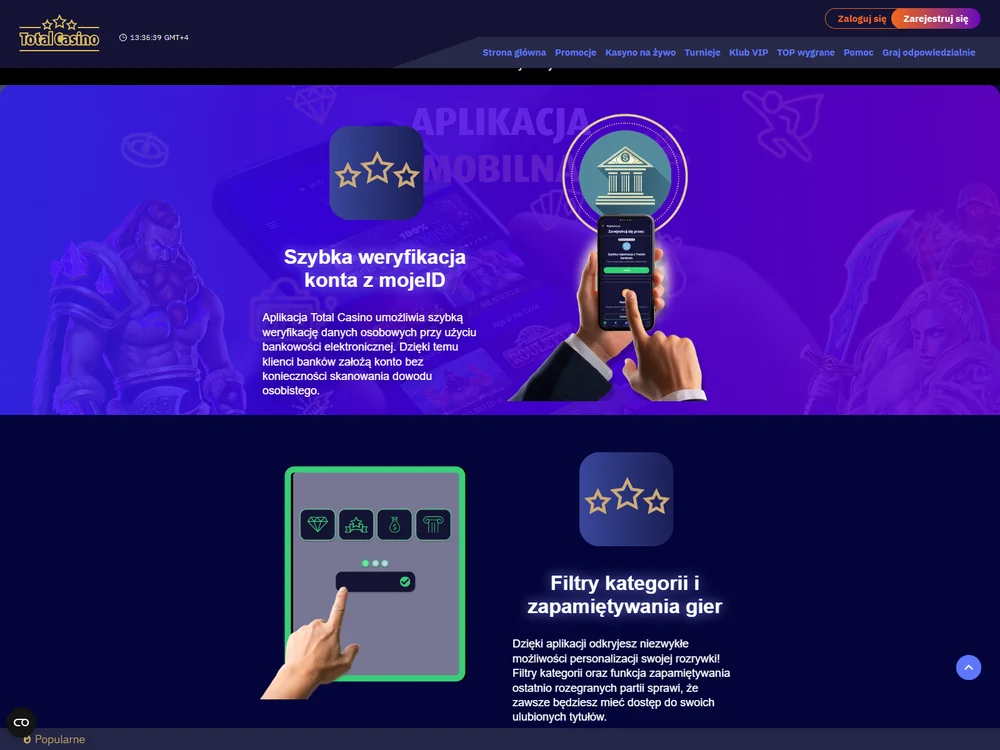
If your account offers a file route, pick the allowed document in the system file chooser and wait for the operator's confirmation. Use the account verification guide to check which step applies. Notifications are a separate choice and appeared after they were enabled in the operator profile. Without push permission, you can still check the outcome in the cashier or history where your account provides those screens.
Mobile Launch Tests on Android and iPhone
The tests measured three events: opening a closed shell, returning to a loaded shell, and going from the game card to usable Play controls. The last event is the one to look at when comparing how quickly you can get to the field. Under a territorial stop, the shell still has a measurable start time and the field remains closed.
Cold Start, Warm Start and Ready-to-Play Timing
Cold timing started when opening the closed process with session cache cleared. Warm timing started on reopening the interface from memory. Each interval ended when the lobby or territory controls accepted input. The field timer started at the game card and stopped when Play and the road were ready. Read each result against its endpoint.
The primary series used 5 GHz Wi‑Fi, with 5 cold and 5 warm launches per device and profile. Each playable device and profile had 5 additional field runs. In the Polish series the measured Wi‑Fi links ranged from 91.00 Mbps for Ice Casino on Android to 125.50 Mbps for Stake on iPhone.
| Operator profile | Test platform | Cold start (s) | Warm start (s) | Card to field (s) | Action acceptance | Wi‑Fi link |
|---|---|---|---|---|---|---|
| NV Casino | Android | 3.46 (3.06–4.58) | 1.51 (0.95–1.65) | 4.64 (3.87–5.41) | 140 ms | 118.60 Mbps |
| NV Casino | iPhone | 3.00 (2.44–3.48) | 1.17 (0.89–1.38) | 4.78 (4.15–5.62) | 92 ms | 99.05 Mbps |
| Stake | Android | 4.10 (2.50–4.50) | 1.51 (1.06–1.76) | Territory check | Territory check | 111.70 Mbps |
| Stake | iPhone | 3.48 (2.28–4.28) | 1.45 (0.82–1.91) | Territory check | Territory check | 125.50 Mbps |
| Total Casino | Android | 2.82 (2.66–3.54) | 1.55 (1.06–1.83) | 4.36 (3.87–5.48) | 200 ms | 101.35 Mbps |
| Total Casino | iPhone | 3.40 (2.36–3.96) | 1.70 (1.00–1.91) | 4.99 (4.22–5.41) | 428 ms | 111.70 Mbps |
| Ice Casino | Android | 4.10 (3.22–4.82) | 1.44 (0.95–1.97) | 4.43 (3.66–4.92) | 248 ms | 91.00 Mbps |
| Ice Casino | iPhone | 3.48 (2.36–4.44) | 1.17 (0.89–1.87) | 5.13 (4.78–5.62) | 452 ms | 116.30 Mbps |
| Bison Casino | Android | 4.34 (3.22–4.90) | 1.48 (1.34–1.76) | Territory check | Territory check | 103.65 Mbps |
| Bison Casino | iPhone | 3.16 (2.84–3.56) | 1.45 (1.03–1.84) | Territory check | Territory check | 92.15 Mbps |
| Mostbet | Android | 3.14 (2.50–4.98) | 1.16 (1.02–1.62) | 4.08 (3.52–4.85) | 440 ms | 99.05 Mbps |
| Mostbet | iPhone | 2.60 (2.28–4.60) | 1.52 (0.89–1.91) | 4.64 (3.73–5.06) | 284 ms | 104.80 Mbps |
Each of the primary launches reached its assigned endpoint without a load error. Bison Casino and Stake reached their checks as expected. Compare the same endpoints across devices. For a playable profile, the action acceptance column measures the delay for a game action after the field is open. For example, the Total Casino iPhone profile reached the field in a median 4.99 seconds and accepted the measured game action in 428 ms. The methodology explains how the comparisons are scoped.
Territory Checks and Game-Field Results
NV Casino, Total Casino, Ice Casino and Mostbet reached the field on both phones in the Polish test accounts. The Total Casino result is for the Polish account used in the run. Mostbet reached the field in a Polish test session with a EUR wallet. Opening the field, using the wallet and viewing the cashier each have their own account requirements.
Stake's Polish route ended under its territory rule even though the web shell opened. The separate Finnish Stake demo used virtual USD and the Hard difficulty. At Bison Casino the Polish session ended after Reject on the consent screen. Bison Casino also has a separate demo card with a DEMO balance under different access conditions. The provider demo gives Polish readers a browser route to the controls.
The Finnish comparison covered 22bet and Bitguruz as separate profiles. At 22bet the field ranges were 3.52–5.62 seconds on Android and 3.73–5.55 seconds on iPhone. At Bitguruz they were 3.45–5.41 and 3.59–5.20 seconds respectively. Those numbers describe the Finnish series and are outside the Polish route table.
Rotation, Network Switching and Session Recovery
Portrait was the main test orientation. Turning to landscape kept Cash out and the stake details available in the playable profiles. The app tests also switched from Wi‑Fi to LTE and back. Where the account reached only a territory check, restoring the connection returned it to the same check.
The measurements below reflect 15 minutes in each test profile, including profiles that stopped before play. Data use is in MB. The battery column gives the observed drop in percentage points of charge, and temperature follows the device and run.
| Operator profile | Test platform | Data use | Battery drop (pp) | Temperature |
|---|---|---|---|---|
| NV Casino | Android | 17.38 MB | 2 | 34.6 °C |
| NV Casino | iPhone | 24.66 MB | 2 | 35.6 °C |
| Stake | Android | 15.30 MB | 3 | 35.1 °C |
| Stake | iPhone | 19.98 MB | 3 | 31.1 °C |
| Total Casino | Android | 25.18 MB | 3 | 33.2 °C |
| Total Casino | iPhone | 13.22 MB | 4 | 35.7 °C |
| Ice Casino | Android | 18.42 MB | 5 | 36.1 °C |
| Ice Casino | iPhone | 18.94 MB | 3 | 31.1 °C |
| Bison Casino | Android | 18.94 MB | 3 | 34.1 °C |
| Bison Casino | iPhone | 25.70 MB | 4 | 32.2 °C |
| Mostbet | Android | 24.14 MB | 2 | 34.5 °C |
| Mostbet | iPhone | 28.82 MB | 3 | 35.1 °C |
During one Ice Casino round the bet had already been accepted when the connection failed. When I signed back in, history showed a single void and the game balance included the 4.60 PLN return. I left the first submission in place. The duplicate display was corrected without another credit.
After a disconnect, reconnect and reopen history before retrying Play. Check whether the original action was accepted and whether the result is pending, settled or void. A pause in the phone interface can occur while the operator still holds the accepted action. See the launch and session troubleshooting guide for the next step.
Which Mobile Route to Use in Poland
Use Chrome or Safari for the InOut Games demo. For an eligible operator account, an installed client is another option. Check its official platform route, publisher and build before opening the InOut Games card. The Polish Total Casino store route is the clearest iPhone example among the operator profiles here.
Judge a mobile launch by the screen you need to reach. A responsive lobby is useful for sign-in, while Play and the field matter for the game itself. If your account stops at the territory screen, open the provider demo to try the controls. If it loses connection after accepting a bet, check the existing result in history first.
FAQ
Do I need to download Chicken Road 2.0 on my phone?
No. Open the InOut Games HTML5 demo in Chrome or Safari. If you want to use an operator account, the browser and installation choices depend on the platform and that account's access.
Where should I get an Android APK for Chicken Road 2.0?
Use the official app section of the operator that offers the Android route for your account. Match the publisher and build, and check the APK signature using the operator's information. You can open the HTML5 demo without an APK.
Can I install Chicken Road 2.0 on an iPhone in Poland?
You can open the game in Safari. Total Casino has a Polish App Store listing for its client. Chicken Road 2.0 opened on iPhone in the specific Polish account tested. The client uses WKWebView for authorisation and payment transitions.
Why does the mobile client stop at a territory check?
The client can load before the operator decides whether your account can open the game. In the Polish tests, Stake and Bison Casino opened their checks on both phones and stopped before the field.
What if I decline camera access?
Use the operator's file selection route if it is offered. Some iPhone flows return to the regular sign-in route after refusal. Complete the document check through the available path before continuing to the protected action.

Author
Publisher information
Chicken Road is an informational website published by Michał Kowalski. Casino operators manage player accounts, accept wagers and process deposits and withdrawals.
Play responsibly
18+. Gambling can cause financial and personal harm. Set limits on time and spending before you play. For support, see GamCare and GambleAware.